Features
Everything the app does today
This page lists only what works in the app right now.
For organizers
-
Create an event in a few steps
Pick Secret Santa or gift registry, the occasion, the date, an optional time and location, and for a Secret Santa a budget range in your currency.
-
Add people your way
Upload a CSV or Excel file, paste a list, copy the people from a past event, or add one person at a time. You see a preview with errors and duplicates before anything is saved.
-
Invitations by email
Send everyone their invitation link, remind people who haven’t joined, and resend when needed.
-
See who’s ready
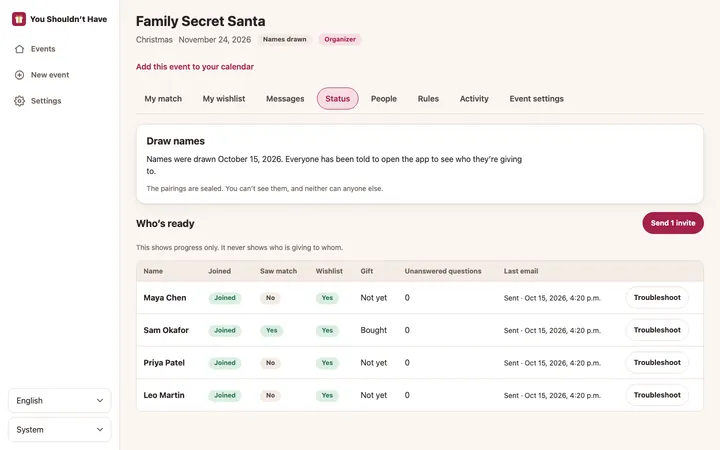
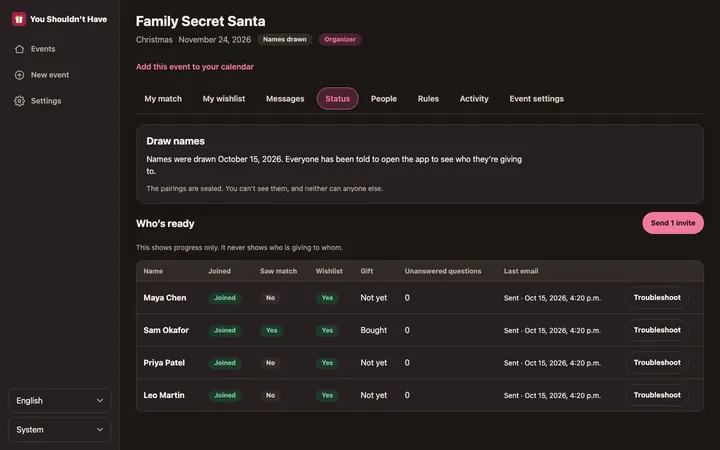
A status table shows who joined, who has seen their match, whose wishlist is ready, gift status, unanswered questions and the last email delivery. It never shows pairings.
-
Take part in your own event
Organizers can join in. Being the organizer gives you no extra view of the pairings.
For Secret Santa
-
A fair draw, now or on a date
Draw names yourself once at least 3 people have joined, or set a date for the app to do it. You can draw again as long as nobody has opened their match.
-
Rules that keep it fun
Keep people in the same household from drawing each other, exclude specific pairs, and avoid last time’s pairings.
-
Sealed pairings
Pairings are stored encrypted. Each person sees only who they give to.
-
Wishlists with links
Share your interests, notes like sizes, and gift ideas with links. Links are looked up for the name, picture and price. A link priced above the budget isn’t accepted, and an unknown price is shown as unknown.
-
Anonymous questions
Ask your recipient a question without giving yourself away. They can reply to their Secret Santa.
-
Gift status
Mark your gift as bought, sent or delivered so the organizer knows things are on track.
-
Changes after the draw
If someone joins late or leaves after the draw, the app fits them into the chain or repairs it. Only the giver whose match changed is told.
-
Troubleshooting without spoiling it
If a gift goes missing, an organizer can reveal one person’s match after two confirmations and a written reason. Every reveal is logged and shown to all organizers.
For gift registries
-
Items with or without links
Add items one by one or import a list. Set the quantity, priority and notes.
-
Up to 3 places to buy
We look up your links and add search links at stores that ship to the guest’s country, so each item has up to 3 places to buy.
-
Claims, so nothing is bought twice
Guests claim an item and later mark it as bought. You see who claimed what; other guests only see how many are left.
-
An open link, if you want one
Share a link anyone can view. Guests sign in to claim. You can replace the link at any time.
-
Delivery estimates
A timeline from today to your event shows each store’s estimated delivery window as on time, tight or late, and the last day to order.
-
Shipping address for guests
Add an address or delivery notes. Only guests who join can see it.
For everyone
-
Email and push notifications
Choose which notifications you get by email and by push, and set quiet hours. Match notices never say who you drew.
-
Calendar
Add one event to Google Calendar, Outlook or Apple Calendar, or subscribe to a private feed of all your events and deadlines.
-
Install on your phone
The app runs in your browser and can be added to your home screen. It tells you when you’re offline.
-
Three languages
English, French and Spanish, switchable at any time in Settings.
-
Light and dark
Follows your device, or pick light or dark yourself.
-
Your data, your call
Download a copy of your data or delete your account from Settings.
Your next gift exchange, minus the spreadsheet
Create an event, add your people, and let the app handle the draw, the invites and the reminders.