How it works
From invitations to unwrapping
Two kinds of events, both run by an organizer. Here is what happens in each.
Secret Santa
Everyone gives one gift to one person, and nobody knows who drew them.
-
Create the event
Pick the occasion and date and set a budget range. Decide whether you’re taking part too.
-
Add your people
Import a file, paste a list, copy a past event or add people one by one. Group households if you like.
-
Set the rules
Keep households or chosen pairs from drawing each other, and avoid last time’s pairings. Or skip this step.
-
Send the invitations
Each person gets an email with their own link. They join and fill in their wishlist. The app reminds anyone who hasn’t joined.
-
Draw names
Once at least 3 people have joined, draw names yourself or let the app do it on the date you chose. Everyone is told to open the app to see who they’re giving to.
-
Shop, ask and give
Each person sees their recipient’s wishlist, can ask them questions anonymously, and marks their gift as bought, sent or delivered.
What the organizer can see
Who has joined, who has seen their match, whose wishlist is ready and each gift’s status. Never who is giving to whom.
If something goes wrong
When a gift goes missing, an organizer can reveal one person’s match: two confirmations, the person’s name typed in, and a reason. The reveal is logged and shown to every organizer of the event.
Gift registry
You list the gifts you’d love; guests claim them so nothing is bought twice.
-
Create the registry
Pick the occasion and date, and add a shipping address or notes for guests if you want.
-
Add items
Add each item with a quantity, priority and notes, with a link if you have one. Or import a list of items or links.
-
We find places to buy
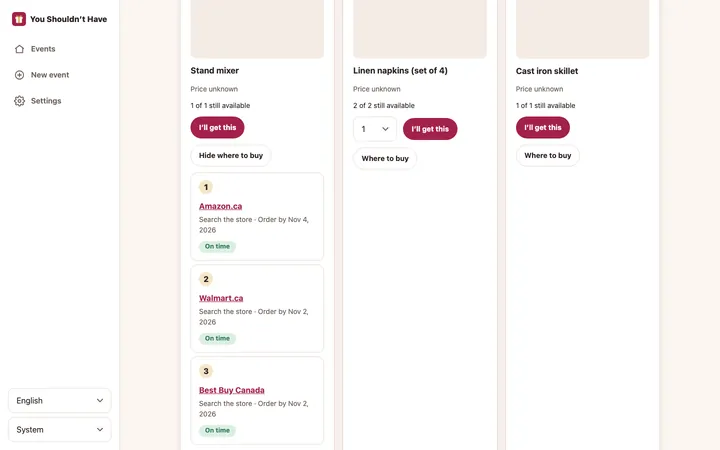
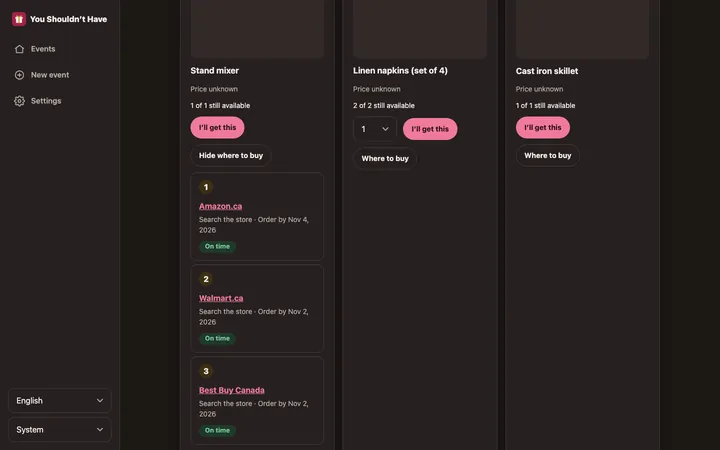
We read your links for the name, picture and price, and add search links at stores that ship to each guest, up to 3 per item.
-
Invite guests
Send invitations by email, or share an open link that anyone can view.
-
Guests claim gifts
Guests claim an item, check when it would arrive, and mark it as bought. They see how many are still available, never who claimed them.
-
You see who’s getting what
Your claims list shows who claimed and who bought each item.
Will it arrive in time?
Each place to buy shows an estimated delivery window from today, compared with your event date: on time, tight or late, with the last day to order. Estimates use the guest’s country and postal code.
Your next gift exchange, minus the spreadsheet
Create an event, add your people, and let the app handle the draw, the invites and the reminders.